EN
EN

News
Desktop Flat Labeling Machine: 10 Common Problems and Solutions
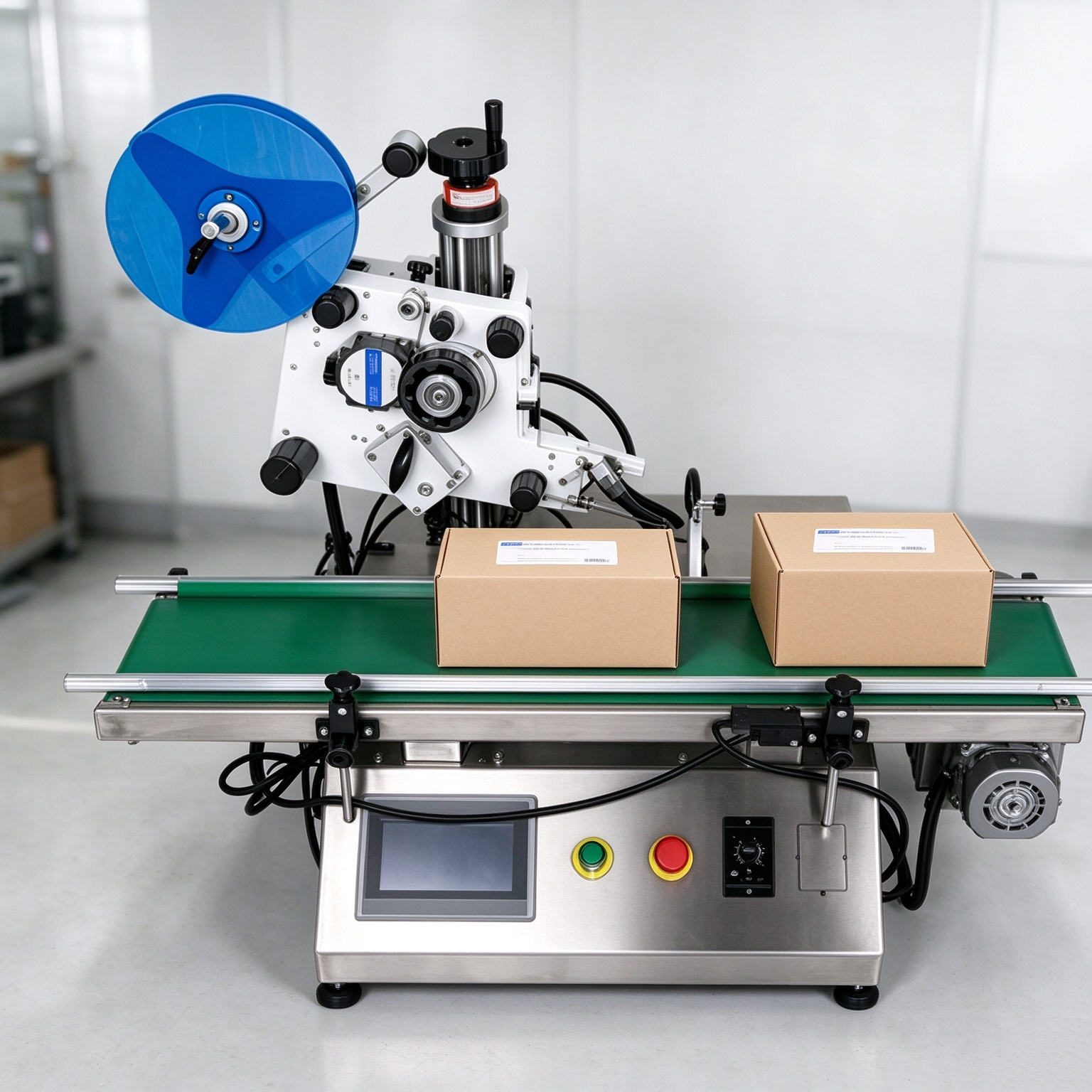
A desktop flat labeling machine is a widely used automatic labeling device in daily chemical, food, pharmaceutical and electronics industries. It applies labels evenly onto the top face of products or flat packaging surfaces. Although the machine structure is relatively simple, it involves mechanical, pneumatic, photoelectric detection and adhesive systems, and a fault in any single link can affect labeling quality. This article summarizes the 10 most common problems of desktop flat labeling machines and explains each one by “Symptom – Cause – Solution” to help operators and maintenance staff locate issues quickly and reduce downtime.
Problem 1: Labels Not Peeling Off the Liner
Symptom: When the label reaches the front of the peel plate, it cannot separate from the liner (release paper/carrier), or only the edge lifts while the middle stays stuck.
Common Causes:
- The peel plate angle is too small, so the label cannot turn sharply enough to build up the required peel force.
- The peel plate height (gap to the product surface) is set incorrectly.
- The label release force is too high, or the die‑cutting did not fully cut through the face material.
- The liner is too soft or lacks stiffness, or the label itself is too stiff.
- Insufficient web tension.
Solutions:
- Fine‑tune the peel plate angle to increase the turning angle of the peeling edge (e.g. slightly press the front of the peel plate down).
- Adjust the gap between the lower edge of the peel plate and the product surface to about 1–2 mm (roughly one‑third of the label length).
- Ask the label supplier to verify die‑cutting depth (cut the face material only, without damaging the liner) and that the release force is appropriate.
- Check and adjust the web tension.
- Lock the fixing screws after adjustment so vibration does not move the angle back.
Problem 2: Incomplete Peel or Double Feeding
Symptom: Two or more labels are dispensed at once when taking/applying, or labels and liner do not separate cleanly.
Common Causes:
- Release force is too high, or the perforation/die‑cut between labels is incomplete.
- The peel plate angle or height is out of adjustment.
- The dispense motor speed does not match the labeling/conveying tempo.
- The label roll is mounted off‑center and the web drifts, adding friction.
Solutions:
- Realign the label roll so the web runs straight without drifting.
- Re‑adjust the peel plate angle and height.
- Match the dispense speed to the labeling/conveying tempo.
- Verify die‑cutting parameters (cut the face material only, without cutting the liner).
- Smooth or replace a worn peel plate.
Problem 3: Crooked or Skewed Labels
Symptom: Labels are applied crooked, with inconsistent angles.
Common Causes:
- Web drifting or uneven liner tension.
- The applying/pressing mechanism not synchronized with product feeding, or uneven pressure.
- Excessive clearance in the positioning guide/backstop.
- Products not placed straight on the conveyor.
Solutions:
- Correct the web path and tension; add a web guide if needed.
- Check that the pressing roller/plate is level and the pressure is even.
- Adjust the positioning guide and backstop clearance.
- Standardize loading so products sit straight.
Problem 4: Label Position Drift
Symptom: The label position on the product is inconsistent, or shifts forward/backward overall.
Common Causes:
- Misalignment or sensitivity drift of the photoelectric label sensor (registration sensor).
- Incorrect timing between dispensing and applying.
- The product‑arrival sensor is displaced or not sensitive enough.
- Conveyor speed and dispense speed are mismatched.
Solutions:
- Re‑calibrate the sensor position and sensitivity.
- Adjust the dispensing delay / applying timing.
- Correct the product‑arrival sensor position.
- Match conveyor speed with dispense speed.
Problem 5: Bubbles, Wrinkles, Edge Lifting
Symptom: Bubbles or wrinkles appear on the applied label surface, or edges lift up (flagging).
Common Causes:
- Peel plate angle too large, so the label is “scraped” out and curls/wrinkles.
- Incorrect gap between the peel plate and the product surface.
- Insufficient or uneven pressing pressure, causing the label to adhere from the middle and trap air.
- Uneven, oily, dusty or wet product surface.
- Mismatched face material/adhesive, or temperature and humidity affecting adhesion.
Solutions:
- Set the peel plate to the right turning angle with a 1–2 mm gap.
- Increase and even out the pressing pressure so the label flattens from one end to the other.
- Clean and dry the product surface.
- Choose label material matching the product surface and environment.
- Keep workshop temperature/humidity within the adhesive’s rated range.
Problem 6: No Output or Unstable Dispensing (Jamming)
Symptom: The machine runs but no label is dispensed, or dispensing is intermittent and occasionally jams.
Common Causes:
- Incorrect threading path, tangled web, or abnormal friction points.
- Drive motor/controller alarm or faulty signal.
- Sensor fails to detect the label or triggers falsely.
- Slipping between the liner and the feed roller, or insufficient tension.
Solutions:
- Re‑thread the label web along the correct path; remove twists, misalignment and friction points.
- Check the drive motor and controller; reset or repair the alarm.
- Inspect and calibrate the label sensor.
- Check the feed‑roller grip and web tension.
Problem 7: Missed Labels
Symptom: Some products are not labeled.
Common Causes:
- The product‑arrival sensor misses detection (low sensitivity or wrong position).
- Occasional timing errors in dispensing.
- Inconsistent label gaps causing misdetection.
- The mechanism cannot keep up at high speed.
Solutions:
- Calibrate or replace the product‑arrival sensor.
- Adjust dispensing timing and match speeds.
- Keep label gaps consistent.
- Reduce speed or improve mechanical response where appropriate.
Problem 8: Suction Pickup Failure (Semi‑Auto / Vacuum Models)
Symptom: The vacuum pickup head cannot pick up the label, holds it loosely, or drops it mid‑way.
Common Causes:
- Insufficient air pressure.
- Blocked suction holes.
- The pickup head is not parallel to the peel plate, so the seal is poor.
- Label stiffness does not match the suction hole size.
Solutions:
- Increase the air pressure to the specified range.
- Clean the suction holes.
- Re‑adjust the parallelism between the pickup head and the peel plate.
- Replace the head/holes with ones matching the label size.
Problem 9: Poor Adhesion, Labels Falling Off
Symptom: Labels lift at the edges after application or fall off during storage/transport.
Common Causes:
- Insufficient pressing pressure, so the label is not fully applied.
- Adhesive incompatible with the product surface material or temperature.
- Oily, wet or dusty product surface.
- Storage/transport environment beyond the adhesive’s rated temperature/humidity.
Solutions:
- Increase and even out pressing pressure; extend pressing time where appropriate.
- Choose an adhesive matched to the product material and storage conditions.
- Clean and dry the product surface before labeling.
- Keep the storage/transport environment within the adhesive’s rated range.
Problem 10: Liner Tearing or Incomplete Die‑Cut
Symptom: The liner tears during feeding, or die‑cut areas tear incompletely and leave fragments.
Common Causes:
- Die‑cutting too deep, damaging the liner.
- The liner itself lacks strength.
- Scratches in the web path or excessive tension.
- Burrs on the peel plate.
Solutions:
- Verify die‑cutting depth with the supplier (do not damage the liner); choose a stronger liner such as glassine if needed.
- Check the web path and tension; remove scratches/friction.
- Smooth or replace the peel plate.
Preventive Maintenance Tips
- Daily: clean the peel plate, feed rollers and photoelectric sensors; check that the web runs straight.
- Weekly: check and tighten all screws; clean suction holes and the pneumatic circuit.
- Monthly: lubricate drive parts; check belt/timing‑belt tension.
- Quarterly: calibrate sensors; verify label roll and liner specifications.
- Keep records: log every fault and its fix to build an equipment maintenance file.
Conclusion
Most common problems of desktop flat labeling machines originate from the web path, the peel plate angle/height, photoelectric registration and the pressing mechanism. Following the troubleshooting sequence in this article, most issues can be solved within minutes. If a fault keeps recurring, check the label and liner specifications first (die‑cutting depth, release force, stiffness) and consult your machine or label supplier when needed. For desktop flat labeling machine selection, setup, or consumables (label paper, liner, ribbon, etc.), feel free to contact us.